Your RGB keyboard, without the vendor's app.
OpenEVision is a free Windows app for keyboards with an EVision controller. Set lighting modes, paint every key, remap keys, keep backups, and run live effects like a music visualizer.
Version 0.2.0 for Windows 10 and 11 (x64). Works with keyboards that report USB id 320F:505B. How to check yours.
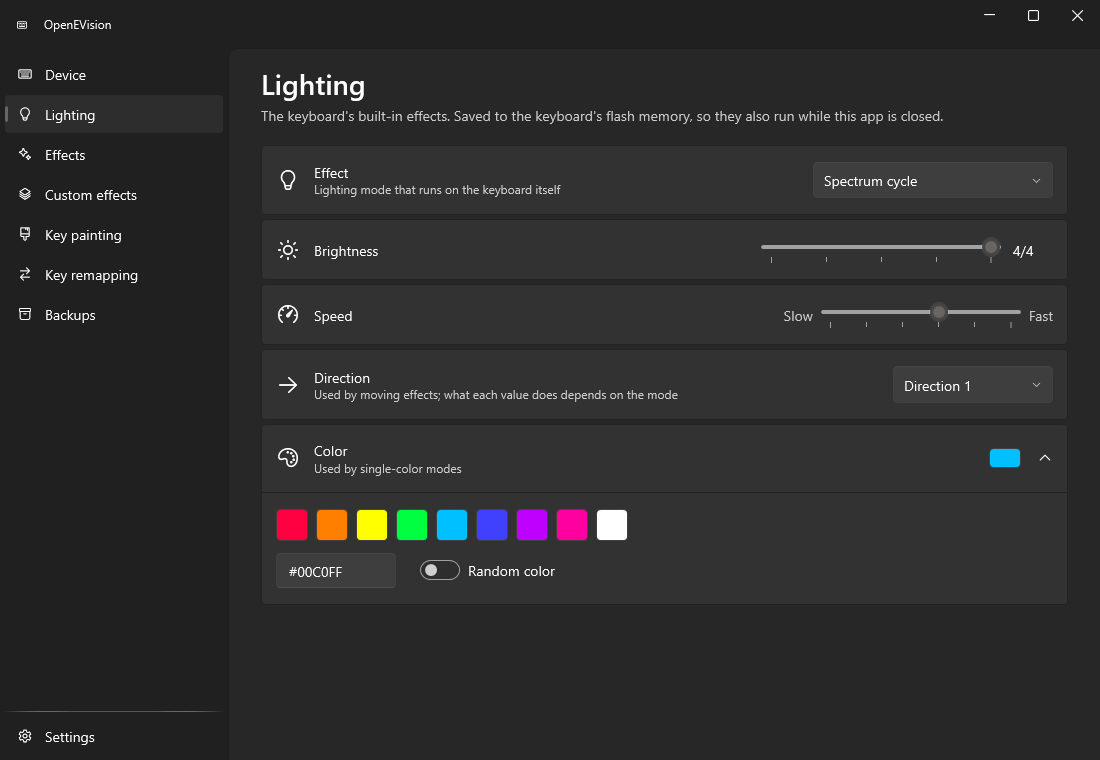
Lighting
The keyboard's own modes, with every setting in reach.
Wave, breathing, static, reactive, starlight and the rest of the built-in modes, with brightness, speed, direction and color. A change is written shortly after you stop moving a slider.
They are saved to the keyboard itself, so they keep running with the app closed, on any computer.
Key painting
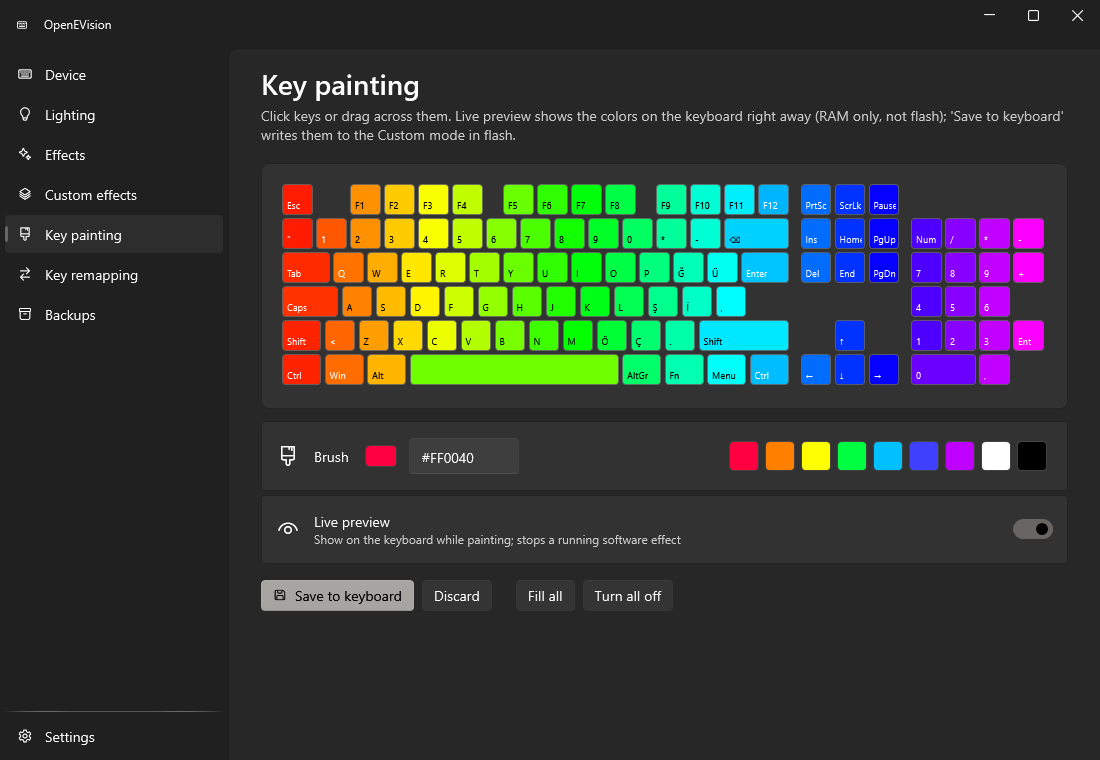
Give every key its own color.
Click or drag across the keys with a brush color. With Live preview on, the keyboard shows the colors right away without touching its memory; Save to keyboard stores them in the Custom mode.
Fill all and Turn all off for a clean start.
Software effects
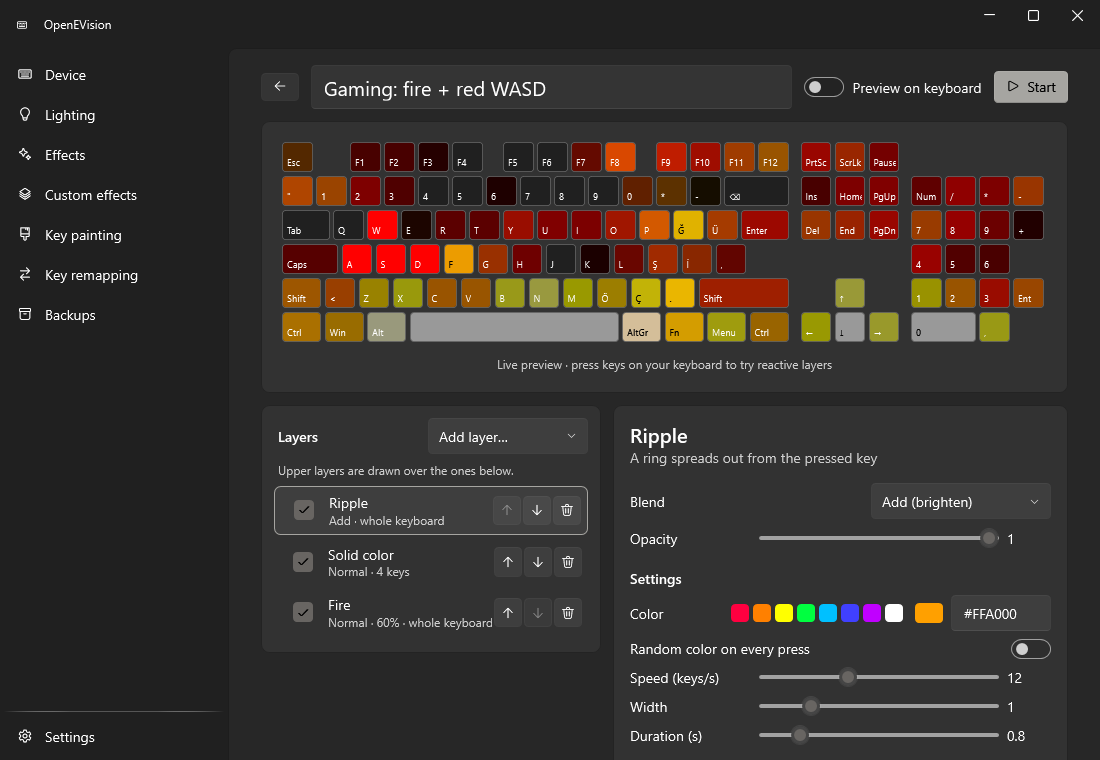
Effects the keyboard can't do on its own.
The PC draws them and streams them to the keyboard while the app runs, also from the tray. Stop one and the keyboard goes back to its own mode.
- Music visualizer
- Typing reaction
- CPU and GPU gauges
- Rainbow
- Plasma
- Fire
- Matrix rain
Or build your own: stack layers like ripple, stars, fire and music bars, set how they blend, limit each one to some keys, and drive it with the music or CPU load. Effects import and export as JSON.
Streamed effects only go to the keyboard's working memory, never to its flash.
Key remapping
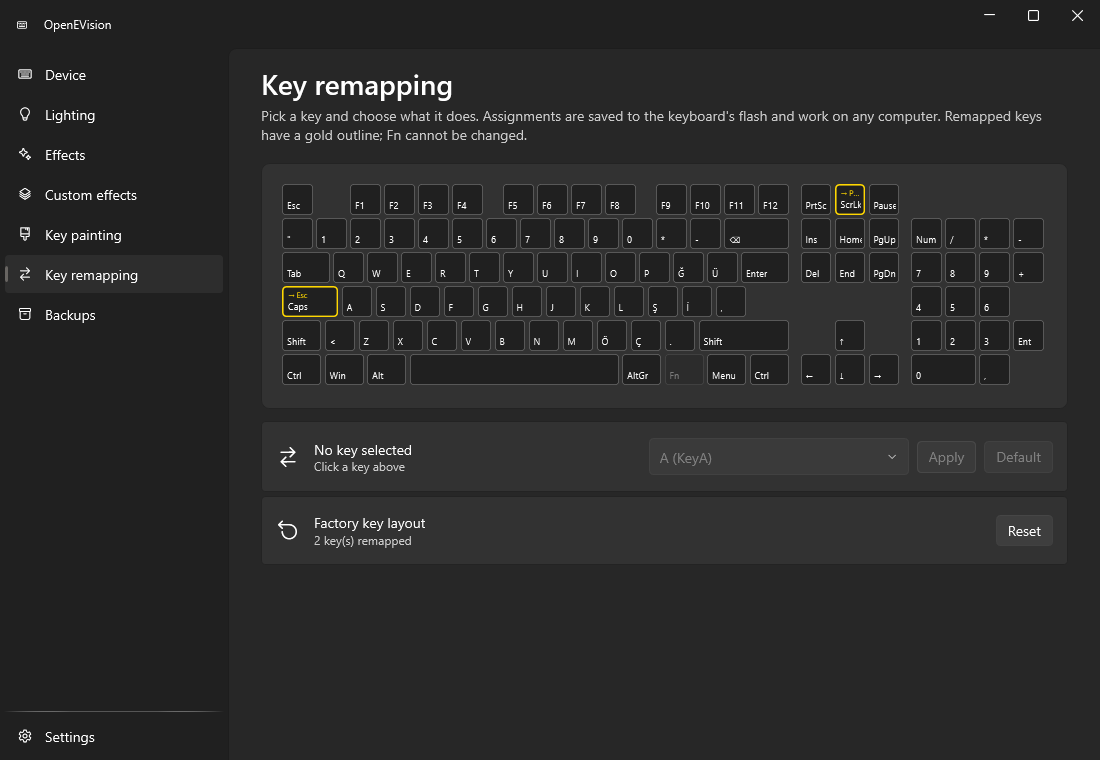
Caps Lock as Escape, on every computer.
Pick a key and make it another key, a modifier, a media key, or nothing at all. The change lives on the keyboard, so it works anywhere you plug it in, with no app running.
Remapped keys get a gold outline. Default restores one key; Reset restores them all. Fn can't be changed.
It writes to your keyboard. So it backs it up first.
OpenEVision talks to the keyboard through an undocumented protocol and stores settings in its flash memory. These are the guards around that.
-
Factory backup on first connect
Before anything is written, the app reads your keyboard's whole configuration and keeps it. Restore puts it back.
-
Writes stay in known places
A write guard only allows the lighting header, the key table and the color tables. See PROTOCOL.md.
-
Your own backups
Save lighting, key assignments and Custom colors before you experiment, and go back to any of them later.
Use it at your own risk. OpenEVision isn't made or endorsed by the keyboard's maker. Even with these guards, a wrong write could leave the keyboard misconfigured or, at worst, unusable.
Does it work with my keyboard?
Many keyboard brands use EVision controllers. OpenEVision only opens the one with this USB id:
VID_320F&PID_505BTested on a full-size ISO Turkish-Q keyboard with 126 LEDs. Other layouts with the same id may work for lighting and backups, but the on-screen keys won't line up.
- Open Device Manager
Right-click the Start button and choose Device Manager.
- Find the keyboard
Look under Human Interface Devices or Keyboards and open its Properties.
- Read the Hardware Ids
On Details, pick Hardware Ids. If you see
VID_320F&PID_505B, it's supported. - Or just run the app
With no supported keyboard plugged in, the Device page says so, and nothing is sent anywhere.
Install
One exe, no installer, no .NET to set up.
- Download
Get OpenEVision.exe from the latest release, or the zip with the README and licence. SHA256SUMS.txt lists the checksums.
- Run it
Put it anywhere and start it. It isn't code-signed, so SmartScreen may ask: choose More info › Run anyway.
- Plug in and go
The Device page shows the keyboard's name, firmware and polling rate, and the factory backup is taken.
Good to know
- PC
- Windows 10 or 11, x64.
- GPU gauges
- Need an NVIDIA GPU with
nvidia-smi, which comes with the driver. On AMD or Intel those gauges stay empty. - Privacy
- No network connections, telemetry or update check. Typing effects watch which key went down only to light it; music effects only compute levels in memory. Nothing is stored or sent.
- Alongside
- Tray icon, start with Windows, picks up the last effect, light and dark theme. Close other RGB software while it runs, or they'll fight over the lights.